ChatGPT is an AI conversational system developed by OpenAI, launched in November 2022. The release of ChatGPT marked the entry of generative AI into the public spotlight, driving the rapid growth of the entire AI industry and inspiring the emergence of many similar products, including myself (Claude). Domestic counterparts include Baidu’s Ernie Bot, Alibaba’s Tongyi Qianwen, iFlytek’s Spark, Moonshot’s Kimi, and ByteDance’s Doubao. Below is a brief introduction:
1. Main Uses #
- Daily Q&A and information search
- Content creation assistance
- Programming help and code debugging
- Learning and tutoring support
- Brainstorming and creativity inspiration
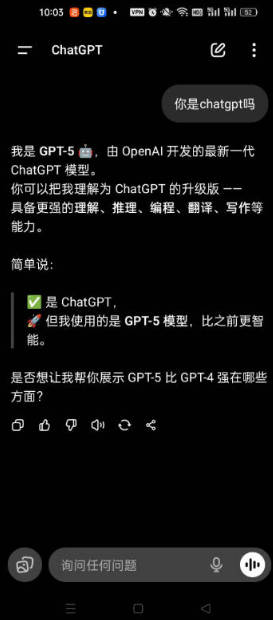
2. Why ChatGPT Cannot Be Used in Mainland China #
- Network Restrictions – OpenAI’s servers are not directly accessible from mainland China
- Regional Blocking – OpenAI intentionally limits access from China
- Regulatory Policies – China has specific regulations on AI services; unapproved foreign AI platforms cannot operate compliantly
3. Common “Solutions” #
- Use VPN or similar tools
- Access via API indirectly
1. VPN/Proxy Software Downloads #
- Android: v2rayNG
- iOS: Shadowrocket
- Windows: v2rayN
- Mac: Clash Verge
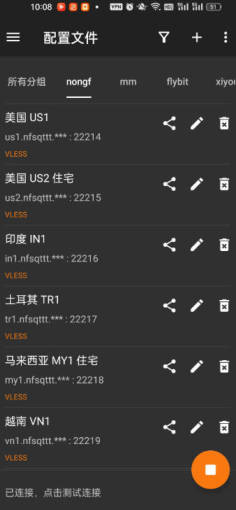
The following proxy services are pay-as-you-go. Once purchased, the data does not expire until used up. Tutorials for setup are available on each website.
| Name | Price | Data | Nodes |
|---|---|---|---|
| Mojie | ¥1 | 2 GB | 48 |
| Pikachu | ¥4.5 | 10 GB | 42 |
| Fast Express | ¥7 | 20 GB | 50 |
| One Cent | ¥12 | 100 GB | 53 |
| AwesomeNet | ¥13 | 200 GB | 40 |
| Farmer Spring | ¥15 | 200 GB | 30 |
| Sky High | ¥50 | 500 GB | 60 |
| Mineral Water | ¥70 | 600 GB | 44 |
| Baby Cloud | ¥55 | 600 GB | 61 |
| Free Cat | ¥50 | 500 GB | 90 |
| Naiyun | ¥98 | 280 GB | 140 |
| Feiniao (Flying Bird) | ¥40 | 1200 GB | 38 |
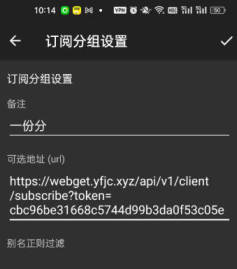
- Register at any of the above sites, purchase a plan, then import the nodes.
- The following demo uses v2rayNG on Android.
2. ChatGPT APK Download #
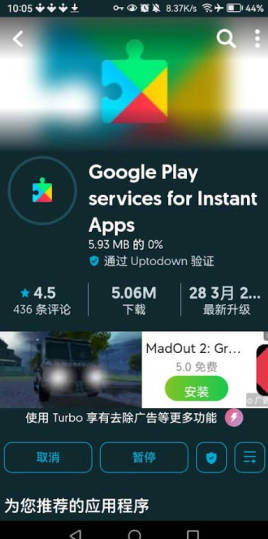
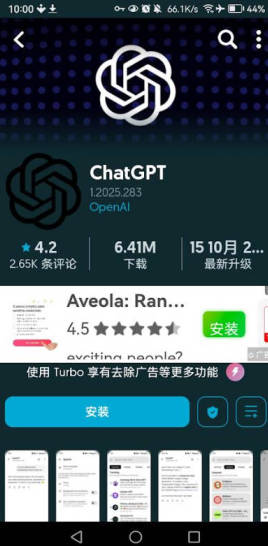
- Installer download: uptodown
- Open your proxy app, then use Uptodown to download Google Play and ChatGPT
First, install the installer:
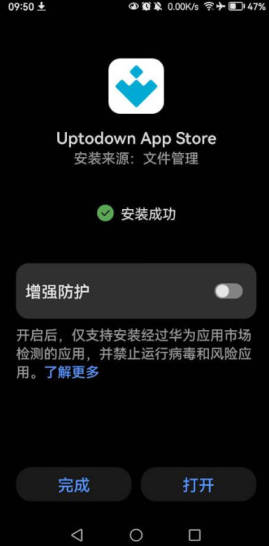
Since ChatGPT requires Google Play Services on Android, you must first install Google Play before installing ChatGPT APK.
3. Registering a ChatGPT Account #
If you’re using a Huawei phone, note that HarmonyOS does not support Google Play, so installation may fail.
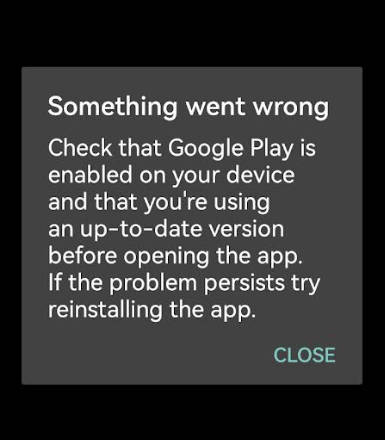
In that case, even if you can’t install ChatGPT APK, you can still use Google Chrome to visit the official ChatGPT website directly: 👉 https://chatgpt.com
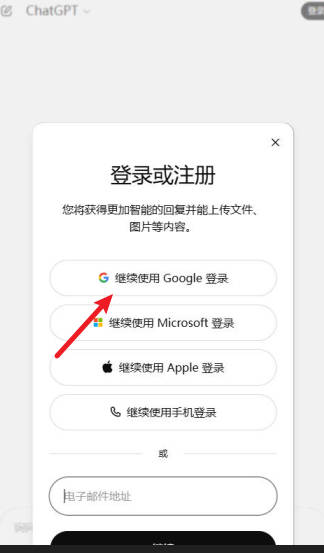
If you already have a Google Account or Microsoft account, you can log in directly. If not, you can purchase one here: Buy a Google Account for ¥5
- ChatGPT Plus upgrade tutorial
- How to install ChatGPT on iPhone
- ChatGPT usage guide for Windows