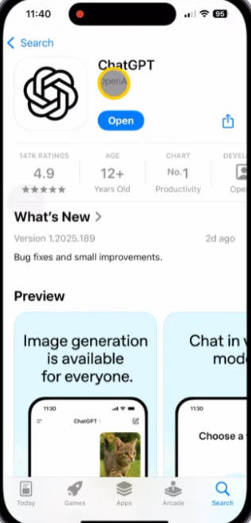
ChatGPT is a chatbot powered by OpenAI’s large language model (LLM). It can communicate with users in a highly natural and human-like way, answering a wide range of questions. Beyond simple conversation, it can perform various text-based tasks. ChatGPT is trained on massive datasets, and its core mechanism is predicting the most reasonable next word in a sentence — allowing it to generate smooth, coherent, and information-rich responses.
1. Getting a Foreign Apple ID #
- Since the ChatGPT app is not available in the Chinese Apple App Store, you must log in with a foreign Apple ID, such as a U.S. Apple ID, to download it.
- Therefore, the first step is to obtain a foreign Apple ID.
- The following guide explains how to download Shadowrocket, purchase a VPN (proxy) subscription, obtain a U.S. Apple ID, and then download and use the ChatGPT app.
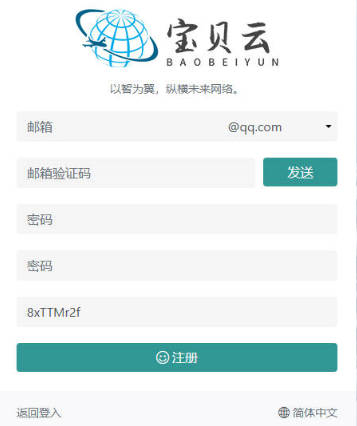
1. Click here to register with your email #
2. Purchase a Subscription #
- Log in to the Baobeiyun official website and click Purchase Subscription.
- Avoid buying monthly plans since they have time limits.
- Choose traffic-based (lifetime) plans instead — they are more cost-effective.

3. Download the App #
- Click on User Guide.
- Then choose the iOS Shadowrocket option.
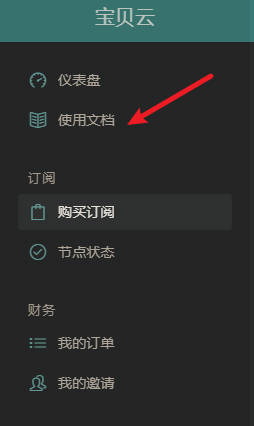
- Follow the steps in the guide.
- The Baobeiyun website provides an Apple ID that already has Shadowrocket purchased — you can also use it to download ChatGPT.
- After logging into the App Store with that Apple ID, download ChatGPT, and then import your proxy subscription.

4. Register and Use ChatGPT #
- After downloading the app, remember to log out of the borrowed Apple ID.
- Then open the ChatGPT app.
- You will need an email account — preferably a Google or Microsoft email.
- If you don’t have one, you can purchase one here: Buy a Google Email Account